
Before
Guessing mode- Random advice from TikTok, friends, and old notes.
- Applications, outreach, resume edits, and projects all tracked separately.
- No clear answer to: what should I do this week?
- Hard to tell whether work is ready to send or publish.
The weekly internship plan students wish they had
Prentio turns your role, timeline, skills, and blockers into a weekly internship plan with clear tasks for applications, outreach, resume work, portfolio proof, and interview prep.
Free during beta. No credit card required.
Before and after Prentio
Students do not need another generic to-do list. They need one place to decide what matters this week and finish work that can be used.
Why not just ChatGPT?
Prentio uses AI inside a product structure: saved context, task cards, review moments, and a sprint that changes with your search.
Who this is for
Prentio is for students who are applying, networking, improving projects, revising resumes, and trying to keep momentum without losing the thread.
Students who need a weekly plan for internship recruiting.
Students who want applications, outreach, resume work, and portfolio proof connected.
Students who have blockers like no clear projects, weak outreach, or too many tabs.
Not for one-click internship promises. Prentio helps you do the work with a better system.
How it works
Tell Prentio the goal, follow the current week, and regenerate the rest when reality changes.
Add your target role, timeline, skills, blockers, and what you already have.
Prentio turns the context into a weekly plan with tasks you can actually run.
Work through applications, outreach, resume updates, portfolio proof, and interview prep.
If you fall behind, switch roles, or find better targets, Prentio rebuilds the remaining sprint.
Outcomes
Open the workspace and see the current task instead of rebuilding your plan from scratch.
Convert class projects, side projects, and case work into proof recruiters can understand.
Keep roles, statuses, dates, and follow-ups readable as your pipeline grows.
Use role and company context to draft outreach that sounds specific, not mass-generated.
Regenerate tasks or weeks while keeping saved work that moves forward.
Sample sprint preview
The exact tasks change with the student's role, timeline, skills, and blockers. This preview shows the level of specificity Prentio aims for.
Week 1
Week 2
Week 3
Week 4
Product preview
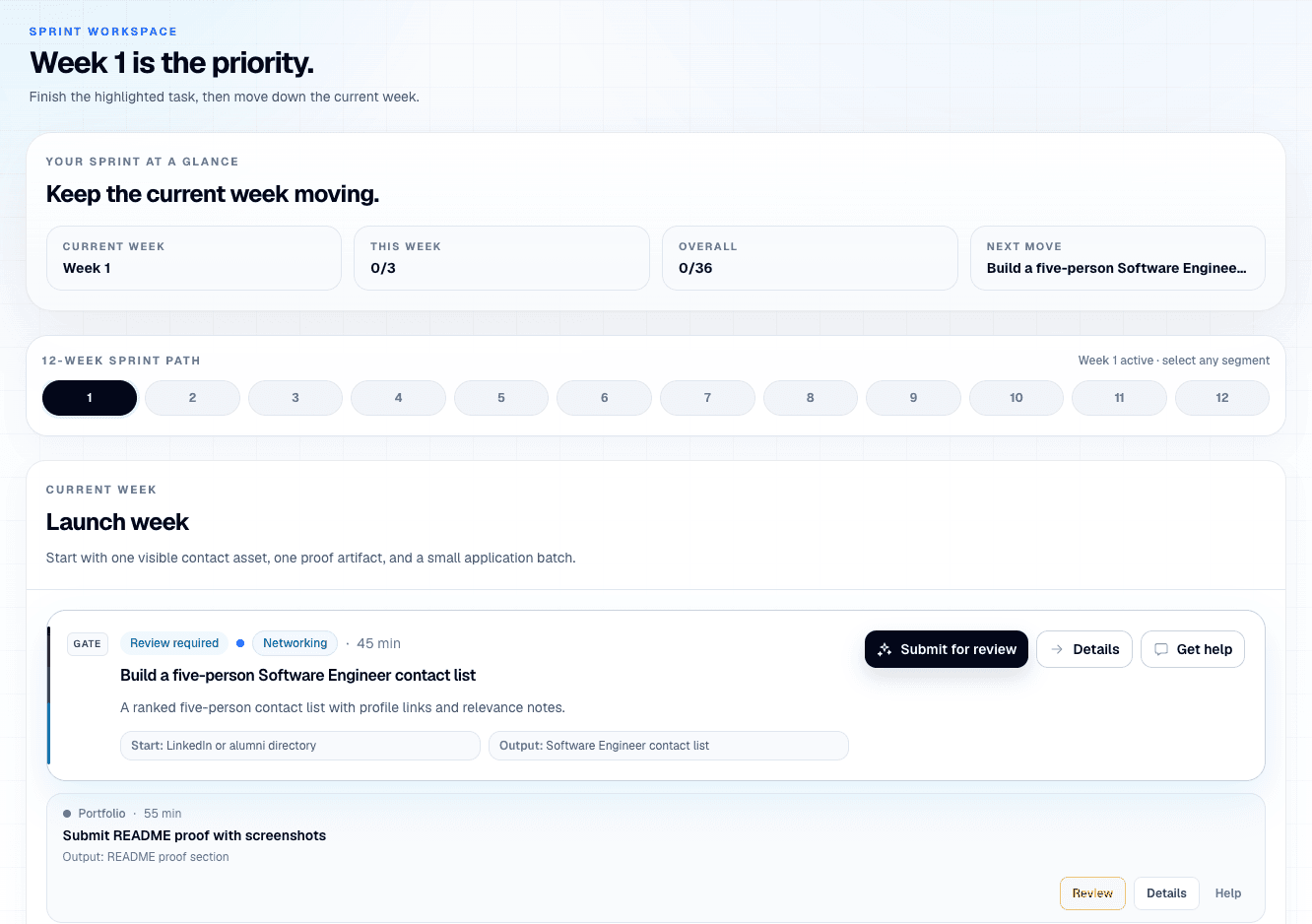
The landing page should show the product, not hide behind generic AI claims. These screens show the sprint, task cards, and outreach flow.
Role-based example
Prentio should feel like it understands the search a student is actually running, not a generic career checklist.
Here is what your first week could look like.
Create 6-role tracker
Choose strongest project
Write 3 proof bullets for README
Built for safe internship prep
Prentio helps students move faster without pretending the product should take public action for them.
FAQ
No. ChatGPT can give advice. Prentio gives you a saved workspace with a weekly plan, tasks, applications, outreach, proof work, and review checkpoints.
No. Prentio helps you plan, draft, organize, and review work. You stay in control of applications, outreach, and public submissions.
You can regenerate tasks, a week, or the remaining sprint so the plan reflects your new role, timeline, blocker, or pipeline.
No. Prentio helps you turn what you do have into visible proof, including coursework, projects, clubs, part-time work, and self-directed practice.
No. Software is a strong fit, but the workflow also supports data, product, finance, marketing, research, and general internship prep.
Yes. Prentio is free during beta and does not require a credit card.
Start beta access
Free during beta. No credit card required.